

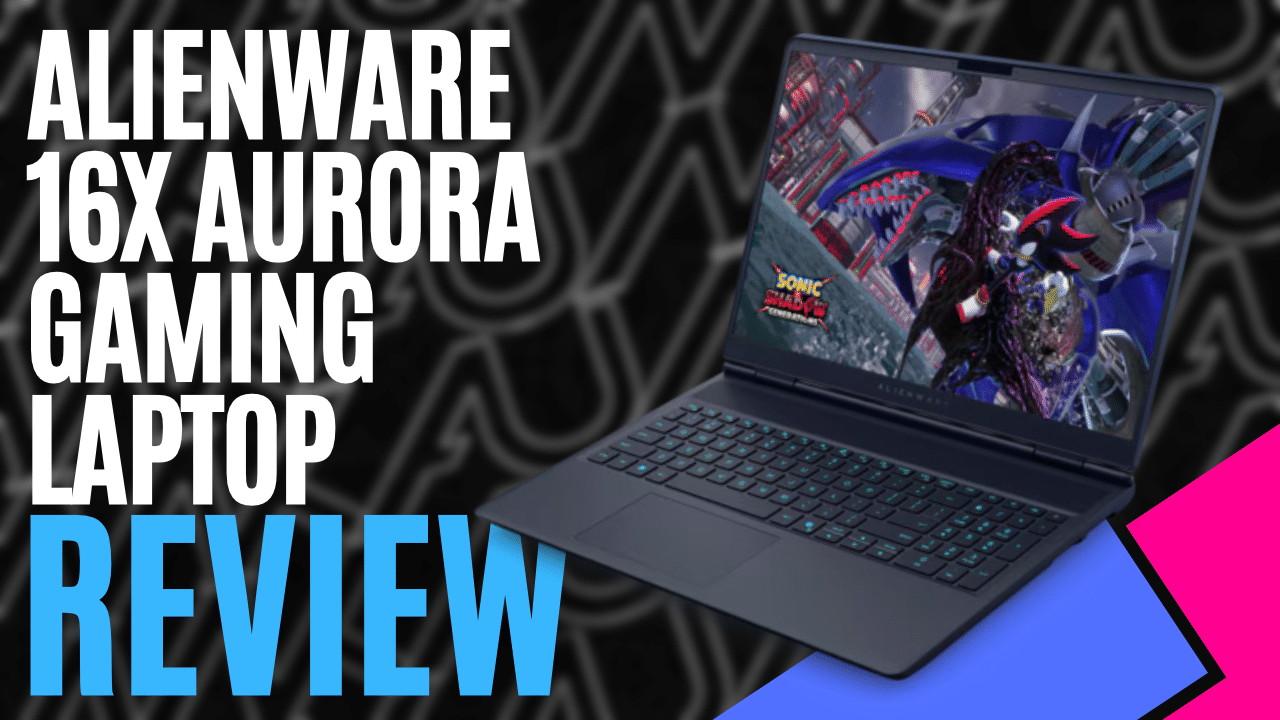
Alienware has never been shy about making its gaming laptops stand out, but the Alienware 16X Aurora Gaming Laptop takes a slightly different approach. It still has the hardware you’d expect from a gaming laptop, but without some of the bulk and flashy design choices we’ve seen from the brand before. The result is something that looks just as comfortable sitting in an office as it does in a gaming setup.
The model we received came with an Intel Core Ultra 9 290HX Plus processor, an NVIDIA GeForce RTX 5070 Laptop GPU with 8GB of GDDR7 VRAM, 32GB of DDR5 RAM, and a 1TB PCIe NVMe SSD. There’s plenty of power under the hood, though we’ll get into how it actually performs a little later.
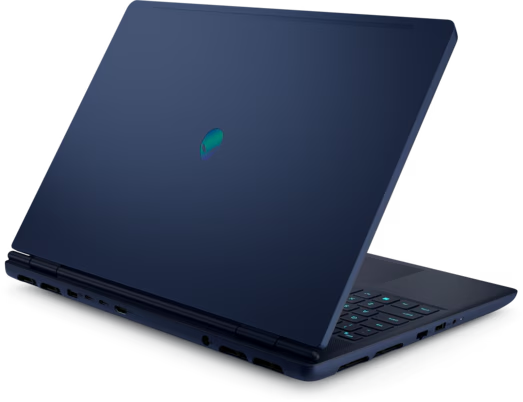
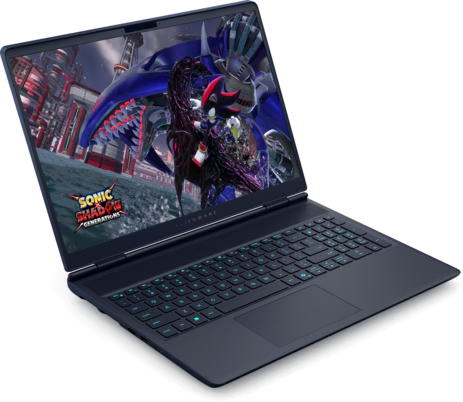
Alienware has carried its AW30 design language over to the 16X Aurora, giving it smoother contours, rounded edges and an Interstellar Indigo finish. The anodised aluminium lid and bottom cover are a nice touch, keeping things relatively simple while still giving the laptop that unmistakable Alienware look.
Complimented by an iridescent Alienware logo, it adds personality without being overly flashy, while a magnesium alloy interior frame provides additional structural support, topped off with a rounded palm rest and chamfered front edge designed with everyday comfort in mind.
Unlike some larger Alienware laptops, the Alienware 16X Aurora Gaming Laptop does away with the extended thermal shelf at the rear, reducing its overall footprint. Measuring 35.7cm wide and 26.5cm deep, with a starting weight of 2.66kg, it isn’t exactly lightweight, but it’s certainly more manageable than a bulky desktop replacement.
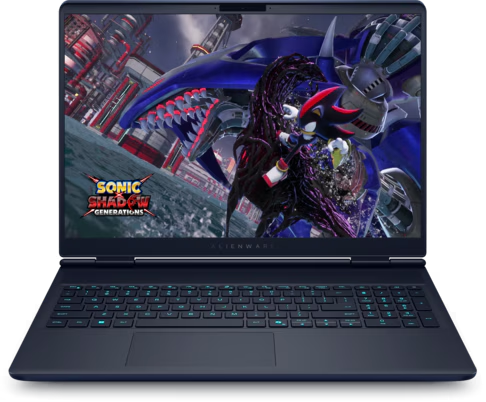
Opening the lid reveals a 16-inch WQXGA OLED display with a 2560 x 1600 resolution, 240Hz refresh rate and 0.2ms response time. The 16:10 aspect ratio gives you a little more vertical space to work with, while the OLED panel holds deep blacks, rich colours and contrast that make this technology so appealing. It also supports NVIDIA G-SYNC and HDR True Black 500, with peak HDR brightness reaching up to 620 nits, making it well suited to both fast-paced gaming and more visually demanding titles.
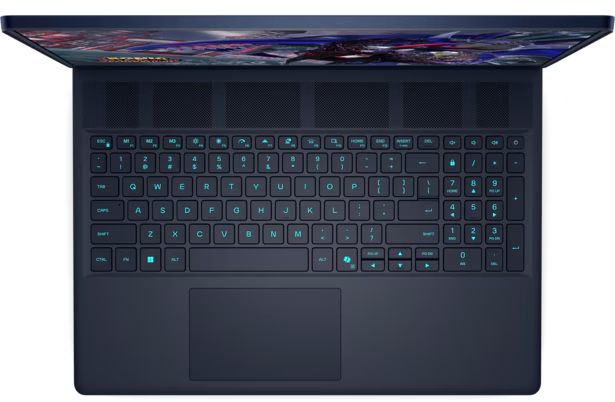
The keyboard features 1.4mm key travel, anti-ghosting technology and a full number pad, alongside single-zone AlienFX RGB lighting customizable through Alienware Command Centre. There’s also a handy Stealth Mode shortcut using the F7 key, which switches the keyboard lighting to white and selects quieter performance settings. It’s a useful feature when working or studying without needing the laptop running at full gaming performance.
Connectivity is well covered, with a USB-A port, RJ-45 Ethernet connection and a headset jack along the left side. In the back, you’ll find another USB-A port, two USB-C connections including Thunderbolt 4, HDMI 2.1 and the dedicated power connection. Positioning most of these connections at the rear helps keep cables out of the way when using external monitors or accessories, while Wi-Fi 7 and Bluetooth 5.4 provide modern wireless connectivity.
Of course, the real question is how well it performs when running something demanding, so to put the RTX 5070 through its paces, I used the Black Myth: Wukong benchmark tool at 2560 x 1600 with the Very High graphics preset, DLSS Super Resolution set to 25, Frame Generation enabled, and full ray tracing disabled.
The laptop achieved an average of 84 FPS, with a maximum of 107 FPS and a minimum of 73 FPS. The benchmark also recorded a 5% low of 76 FPS, showing relatively consistent performance throughout the test. It’s an encouraging result for such a demanding title, particularly at this resolution, although DLSS and Frame Generation are contributing to those numbers rather than the game running entirely at native resolution.
Keeping everything cool is Alienware’s Cryo-Tech cooling system, which incorporates a specially designed Cryo-Chamber underneath the laptop. This helps improve airflow by drawing cooler air through two fans, with three copper heat pipes transferring heat away from the components and four exhaust vents directing warm air out of the chassis.
The laptop definitely gets warm when you start pushing it, but what impressed me was where that heat ended up. Most of it was pushed out through the exhaust vents, leaving the keyboard and touchpad surprisingly cool. I’ve used plenty of gaming laptops where the keyboard gets uncomfortably warm after a while, but that wasn’t an issue here. The fans weren’t too loud either, even when running more demanding games, which was another nice surprise.
Alienware Command Centre 6 provides additional control over the system, allowing users to manage their game library, customise lighting and adjust power settings to suit different tasks. The laptop also features user-replaceable SO-DIMM memory and SSD storage, providing some welcome flexibility for future upgrades.
Alienware 16X Aurora Gaming Laptop delivers a compelling combination of gaming performance, a fantastic OLED display and a more restrained design. The Intel Core Ultra 9 and RTX 5070 pairing handles demanding workloads with modern upscaling technologies, while the cooling system does an impressive job of keeping heat away from the areas you’ll actually be touching.
It’s not the lightest laptop to carry around, but its streamlined chassis makes it more practical than some bulkier gaming alternatives. For anyone wanting a capable gaming laptop that doesn’t sacrifice everyday comfort or draw unnecessary attention, the Alienware 16X Aurora Gaming Laptop has plenty going for it.

2 Comments
Pingback: 10 rare game consoles that almost no one owns - Comic Vibe
Pingback: Graphics Card Prices Begin Falling Amid AI Market Correction - Comic Vibe