
Close Menu

    Subscribe to Updates

    Get the latest creative news from FooBar about art, design and business.

    What's Hot

    ‘GTA 6’ breaks entertainment box office records with $3.79B in 1st

    November 20, 2026

    Do Not Stop Codes (November 2026) – Do Not Stop [Roblox] Guide

    November 20, 2026

    Cardiff Entrepreneur Launches New Community to Help South Wales Founders Succeed

    November 20, 2026
    Facebook X (Twitter) Instagram
    Facebook X (Twitter) Instagram YouTube TikTok
    Comic Vibe
    Friday, November 20
    • Home
    • Comics
      • Comic Vibe News
    • Gaming
    • Movies
    • TV
    • Anime
    • Toys & Collectibles
    • Cosplay
    • Tech
    • Digital Culture
      • Creators & Fan Culture
      • Creator Economy & Fan-Driven Platforms
      • Digital Fandom & Online Communities
      • Metaverse & Virtual Worlds
      • NFTs & Digital Collectibles
      • Virtual Events & Online Conventions
      • Virtual Identity & Avatars
    • Shop
    Comic Vibe
    • Home
    • Contact Us
    • Terms & Conditions
    • Advertise With Us
    • DMCA Policy
    • Privacy Policy
    • About Us
    Home»Gaming»3 Common Problems With GTA 6 On PS5 (And How To Fix Them)
    Gaming

    3 Common Problems With GTA 6 On PS5 (And How To Fix Them)

    JamesBy JamesNovember 20, 20262 Comments5 Mins Read
    Facebook Twitter
    Share
    Facebook Twitter

    Imagine you’re just starting your journey through Leonida in “Grant Theft Auto 6.” But as you are making your way through the urban city across the state, your game crashes. It’s not a fun state to be in, especially after you’ve spent time downloading and updating the game. While plenty of reviewers discuss consistent performance on the PlayStation 5 Pro, the base PlayStation 5 isn’t always as smooth as one would hope. But the PlayStation 5 Pro is very expensive – you can pay over $1200 for a used one at your local GameStop – and hard to justify upgrading for one game.

    Thankfully, the base PlayStation 5 is enough, even if the game sometimes dips below 30 FPS during heavy action. Rockstar has done a lot of work to get their game optimized on the PlayStation 5 and Xbox Series X/S. Though if your base PlayStation 5 is struggling to keep up, it can kill the enjoyment of the game. Sadly, a simple reset/uninstall can’t fix it either. But eager users and reviewers have found a few fixes/optimizations that can help get your fictional crime spree back on track.

    Stuttering, choppiness, and continuous frame drops
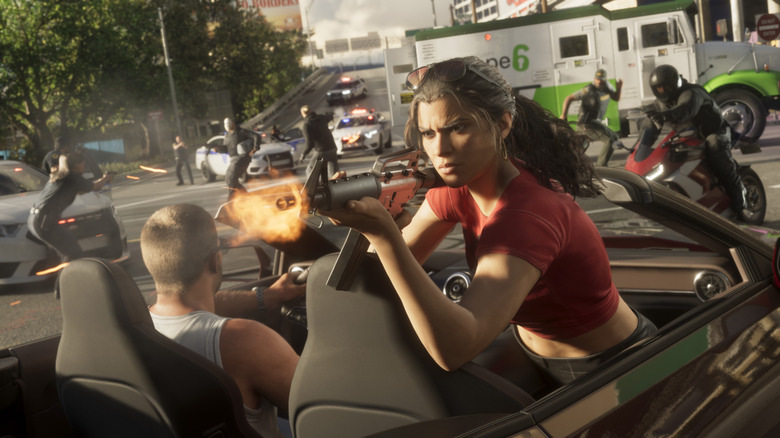
    An in-game screenshot of Jason in the drivers seat while Lucia is shooting from the passenger's seat

    While Rockstar wanted players to focus more on a more cinematic experience with “Grand Theft Auto 6,” frame stability is important. You don’t want those 30 FPS to dip too low and too often during intense shootouts or while you’re outrunning police cruisers. Unfortunately, that can happen on the base PlayStation 5. Reddit poster Junttiana suggested a fix that has helped players smooth out some unwanted stuttering by noting that clearing the cache and turning off High-Bandwidth Digital Content Protection (HDCP), both of which some gamers believe may be contributing to framerate issues.

    Clearing the PlayStation 5 cache requires you to boot your console into Safe Mode, which you access by holding down the PS button until you hear a second beep, then connecting the gamepad through USB, and pressing the button again. From there, you should see some options; choose “Clear Cache and Rebuild Database” > “Clear System Software Cache.” Once you leave Safe Mode, go to your system settings, then select “HDMI,” where you should see a toggle that lets you disable HDCP. Turn it off, then quickly restart your PlayStation 5. These fixes should help with general stability, but remember, you’ll likely still see some dips because the game is relatively new and the base PlayStation 5 is being pushed to the limit.

    The game becomes too blurry or too hazy
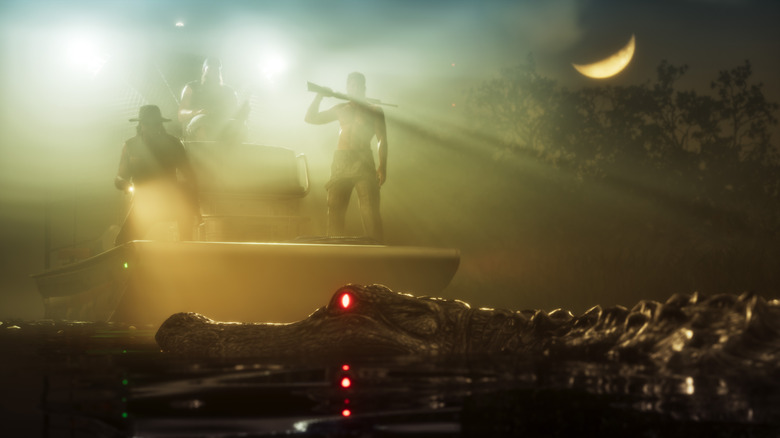
    an in-game screenshot showing a crocodile and three men in the background being covered in haze

    Unfortunately, one big hit that base PlayStation 5 players take is the high blur effect while playing. Digital Foundry has done some digging with regards to image clarity and blurriness, but it’s not good news for base PlayStation 5 players. According to them, PSSR can potentially fix the blurring issues — the bad news is that it is a PlayStation 5 Pro feature.

    At the very least, if you don’t have the premium console, you can partially mitigate it by lowering the motion blur strength or turning it off completely, in the game’s settings menu. It’s recommended to reduce it first to see if that’s bearable, since setting it to zero can make the camera panning more jittery. Motion blur helps blend frames so everything feels less choppy to play. To turn down motion blur, you have to do this in-game: go to your settings, then navigate to “Display” and select “Motion Blur Strength” beneath it. Moving the slider left lowers it, while moving it right makes it stronger. In a recent Reddit post discussing motion blur, some users agreed with Digital Foundry’s findings: turning up motion blur while playing on an OLED can be a better experience than lowering it. But for non-OLEDs, you might want to try lowering it.

    Lighting, blooming, and loss of sharpness
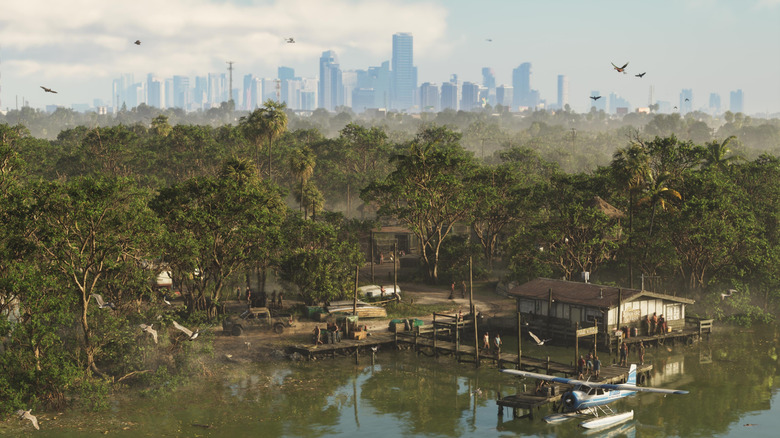
    An in-game screenshot showing details of a forest with a lake in GTA 6

    The other issue Digital Foundry cited with the base PlayStation 5 while playing “Grand Theft Auto 6” is its overall soft look compared to the PlayStation 5 Pro. That’s mainly because it doesn’t use PSSR and instead relies on 1440p rendering with spatial upscaling and heavy temporal anti-aliasing (TAA). If lowering the motion blur strength doesn’t help, you might need to adjust brightness and recalibrate HDR, which you can do directly on your PlayStation 5 via “Settings” > “Screen and Video.” From there, select “Video Output” and choose “Adjust HDR” (it must already be on). You can also do it in-game under “Settings” > “Display” by selecting “HDR Calibration” after you toggle it on.

    It’s also worth triple-checking that you’re using your TV’s Game Mode, if it’s supported, since it can reduce input lag by turning off heavy video processing that may affect the overall image. Just about every review raved about “Grand Theft Auto 6” being one of the best, if not the epitome of cinematic gaming, which is why you’ll want your base PlayStation 5 and TV to deliver the best graphics they can while you’re playing.

    Common Problems them
    Share. Facebook Twitter
    Previous ArticleHot Toys announced an Absolute Bane figure from the DC comic book universe
    Next Article Prof Muhammad Auwal Hussaini Appointed Vice-Chancellor of Federal University of Technology, Babura
    James

    Related Posts

    The Thermaltake LGCS GeForce RTX 5070 Gaming PC Drops to $1,500 Shipped for Black Friday, Excellent Prebuilt Rig for 1080p and 1440p Gaming (With Some 4K Gaming Chops)

    November 20, 2026

    Ampere Analysis: Over 2m UK and US Xbox players accessed GTA 6 before official launch by switching location to New Zealand

    November 20, 2026

    Get $10 Off GTA 6 Preorders Using This Trick (It Won’t Last Long)

    November 20, 2026

    Physical Premium Edition of ‘Darkenstein 3D’ Coming to PlayStation 5 Next Year

    November 20, 2026

    2 Comments

    1. Pingback: Love on the Run - Comic Vibe

    2. Pingback: Roeper's Reviews: 2 pop culture icon origin stories in the same week - Comic Vibe

    Leave A Reply Cancel Reply

    Our Picks

    ‘GTA 6’ breaks entertainment box office records with $3.79B in 1st

    November 20, 2026

    Do Not Stop Codes (November 2026) – Do Not Stop [Roblox] Guide

    November 20, 2026

    Cardiff Entrepreneur Launches New Community to Help South Wales Founders Succeed

    November 20, 2026

    The GTA 6 effect: Why blockbuster gaming is becoming a billion-dollar marketing ecosystem

    November 20, 2026
    • Facebook
    • Twitter
    • Instagram
    • YouTube
    • TikTok
    • Telegram
    Don't Miss
    TV

    This Titanium Apple Watch Series 11 cell model just hit one of its best prices ever at $169 off

    By JamesJuly 22, 20260

    Joining the $100 price drops on the most popular Apple Watch Series 11 modelsstarting from $299, we just spotted a notable and likely fleeting chance to land the Apple Watch Series 11 GPS + Cell with the Natural Titanium Case at $169 off the list price. 

    One Piece Chapter 1189 Spoilers & Manga Plot Leaks

    July 22, 2026

    Comic-Con goes to the dogs at pet cosplay competition

    July 22, 2026

    Zombie Island codes July 2026

    July 22, 2026

    Subscribe to Updates

    Get the latest creative news from SmartMag about art & design.

    About Us
    About Us

    Comic Vibe is a pop-culture destination created for fans who live and breathe comics, movies, anime, TV shows, gaming, tech, cosplay, and collectibles.

    Our mission is to deliver engaging news, reviews, features, guides, and opinions that celebrate geek culture in all its forms. From the latest comic releases and blockbuster films to anime trends, gaming updates, cutting-edge tech, and collector culture, Comic Vibe brings everything together in one vibrant hub.

    Our Picks

    ‘GTA 6’ breaks entertainment box office records with $3.79B in 1st

    November 20, 2026

    Do Not Stop Codes (November 2026) – Do Not Stop [Roblox] Guide

    November 20, 2026

    Cardiff Entrepreneur Launches New Community to Help South Wales Founders Succeed

    November 20, 2026

    Subscribe to Updates

    Get the latest comics, anime, movies, TV, gaming, cosplay, and pop culture news delivered directly to your inbox. No spam—just the stories every fan should know.

    Facebook X (Twitter) Instagram YouTube TikTok
    • Home
    • Contact Us
    • Terms & Conditions
    • Advertise With Us
    • DMCA Policy
    • Privacy Policy
    • About Us
    © 2026 Comic Vibe. Designed by Comic Vibe.

    Type above and press Enter to search. Press Esc to cancel.