

One of the most anticipated games of the year is finally almost upon us. “Grand Theft Auto 6” is set to release on November 19, 2026, but preloads will finally unlock on November 10, giving PlayStation 5 and Xbox Series X|S owners a chance to prepare for the game’s full release. Many of us have been waiting years to dig into Rockstar Games’ latest title, but before you do, it’s best to make sure your console is ready for the inevitable hours of playtime you’re about to log on it.
If you’re planning on preloading the day that the game unlocks, then you’ll want to make sure you’re ready to go. There are a few things you can do to prepare for the game’s release, starting with making sure your console has enough free storage space to hold the download. This is especially important right now, as “GTA 6” won’t offer a physical disc edition at all.
Clear out some space for GTA 6

The first thing you’ll want to look at is how much storage you have left on your console. Rockstar has confirmed that the preload for “GTA 6” will require up to 212 GB of storage space, with the exact size depending on which console you’re downloading it on. If you don’t have that much free space right now, you’ll either have to delete some games or add more storage to your console.
Adding storage only works if it’s the right kind, though, because a USB drive won’t work for “GTA 6.” PS5 games stored on USB extended storage have to be copied back to the console before they can be played, so on PS5, the only real option is an M.2 SSD. On Xbox Series X|S, games have to run from the internal SSD or a Storage Expansion Card. If you’d rather just clear things out instead, there are a few ways to easily free up space on your PlayStation 5, and Xbox owners can use the console’s aptly named Free up space tool to find old add-ons and duplicate files they don’t need anymore.
Make sure you know when to start preloading
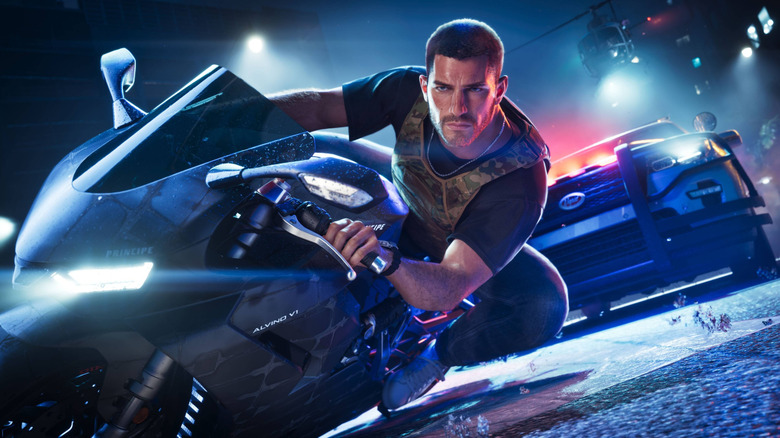
Rockstar says PlayStation 5 owners will be able to start their preload at midnight local time on November 10. Xbox players, on the other hand, will all get access at the same time, as the preload will unlock globally at midnight GMT, which is 7 p.m. ET (4 p.m. PT) on November 9 for players in the United States. That means Xbox players in the U.S. can actually start their download the night before anyone on PS5.
If you’re planning to buy a physical copy of the game, it’s best to keep in mind that “GTA 6” won’t be released on disc. Instead, you’ll be given a code within the box that will unlock the digital version of the game. It’s also worth noting that physical copies aren’t expected to reach retailers until November 12. So be prepared to wait a few more days before you can preload the game. PlayStation codes are also region locked, and the Ultimate Edition won’t be available in stores. Instead, you’ll need to buy that upgrade after redeeming your code.
Update your console and prepare based on your internet speed
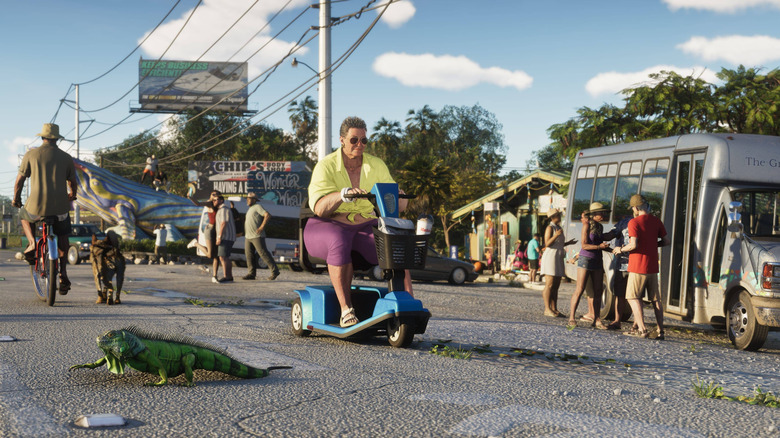
One reason you’ll want to start preloading as soon as possible is because of how big “Grand Theft Auto 6” is. The game is roughly 212 GB, and depending on your internet speeds, it might take a while to download.
You’ll also want to install any system updates before the preload goes live. On Xbox, the console checks for updates every night by default, but if a mandatory update is waiting to be installed, you won’t be able to connect to Xbox network services until you install it. If your console hasn’t been turned on in a while, it’s best to turn it on and check for updates before the preload unlocks, so you don’t have to wait on an update before you can start downloading “GTA 6.” PS5 owners can skip some of that, since system updates can download and install on their own in Rest Mode as long as the console is set to stay connected to the internet.
Turn on automatic downloads

Not everyone is going to be able to stay up until midnight to start the preload, and thankfully you don’t have to. Both consoles can download “GTA 6” on their own, but you’ll need to make sure a couple of settings are turned on first. Rockstar’s preload FAQ says that on PS5, you’ll need automatic downloads turned on, and the console has to be either powered on or in Rest Mode. In addition to that, you’ll want to make sure that Stay Connected to the Internet is turned on in the PS5’s Rest Mode settings, as the console won’t be able to download anything while it’s in Rest Mode without it.
Xbox players will need to turn on automatic updates and leave the console either on or in Sleep mode. If your Xbox is currently set to the energy-saving Shutdown mode, it won’t be able to download the preload while it’s turned off. Microsoft changed the default power settings for Xbox consoles in 2023, so it’s a good idea to check which power mode your console is using before the preload starts, even if you don’t remember changing it. Sleep mode does use more power, but you can switch back to Shutdown once the download is complete.
Clean out the dust
If your console has been sitting under the TV for the last few years, now is a good time to give it a cleaning before you start playing. Dust buildup is one of the biggest things to keep an eye on if you want to prevent your PlayStation 5 from overheating, as it traps heat inside the console and can even cause it to shut off while you’re playing. This is especially important if you’re planning to spend a lot of time in “GTA 6” once it releases, since you’ll probably be leaving your console running for hours at a time.
Sony actually suggests using a vacuum cleaner (or a similar cleaning tool) to get the dust out, and it also recommends keeping the PS5 at least 4 inches away from the wall. Its FAQ also says not to set the console on a long-fiber rug or cover it with a cloth. Microsoft’s guidance for the Xbox Series X|S asks for 4 to 6 inches of space on all sides and at least 1.5 inches on top, and it says to avoid closed cabinet doors if possible.
