

We may receive a commission on purchases made from links.
PC gaming has numerous advantages over console gaming, but one thing console gamers always bring up is how easy and comfortable it is to play games from the couch using a PlayStation, Xbox, or Nintendo system. However, PCs are slowly starting to invade living rooms as well.
Valve’s Steam Machine is probably the most public example of this, but PC gamers have been creating living-room builds using mini-ITX and micro-ATX cases for PCs that fit neatly within the space usually allotted to consoles.
Likewise, PC gaming software has become more TV-friendly. Steam’s “Big Picture Mode” is an excellent example, but there are also apps like Heroic Launcher, which pairs well with Linux-based gaming operating systems like Bazzite. But, that’s not quite enough to bridge the gap between console and PC as a couch experience. For that, you’ll need some of these accessories and gadgets, to make you forget that you’re playing on a full-fledged computer — not just a purpose-built video gaming toy.
Steam Controller
To be completely clear, we’re talking about the above-pictured Steam Controller from Valve that was released alongside the Steam Machine. The original Steam Controller is a fine piece of kit and still completely usable today. However, Valve’s latest controller improves on it in every way.
Though it has been difficult to get your hands on a Steam Controller since its launch, this is the ultimate tool for anyone who wants to play PC games from the couch without a keyboard or mouse. But, hang on, don’t most modern games on PC support controllers? Yes, you can play the vast majority of modern PC games using a controller, but some genres don’t suit it. RTS (Real-Time Strategy) is one that comes to mind. Using the dual haptic touchpads on the Steam Controller, it becomes possible to play games that were designed with a keyboard and mouse in mind using something that looks and feels like a gamepad.
The further back in the PC gaming timeline you go, the less controller-friendly games become, so having a Steam Controller opens up much more of your game library to couch play than would otherwise be possible. At $99, it’s also priced incredibly well. Unfortunately, as of this writing, it’s regularly sold out, and scalpers want over $300 for one. On the bright side, it has an Easter Egg where the controller lets out a Wilhelm Scream if you drop it. So, maybe it’s worth overpaying after all.
A controller charging dock (and maybe batteries)
Controllers are already common among PC gamers, and in most cases your PC is so close by that it makes sense to connect a controller directly using a USB cable. This eliminates wireless latency, and it means you never have to worry about disconnections either from a Bluetooth glitch or dead batteries.
In your couch setup, you can absolutely just use a long USB cable, which can maintain adequate speeds for controller use for at least 16.4 feet. However, if you want the convenience and simplicity of a console setup, you’ll also want a controller charging cradle. This works a treat for controllers that have built-in batteries, but if you’re using a controller that relies on removable AA batteries, you’ll have to go to a little extra effort.
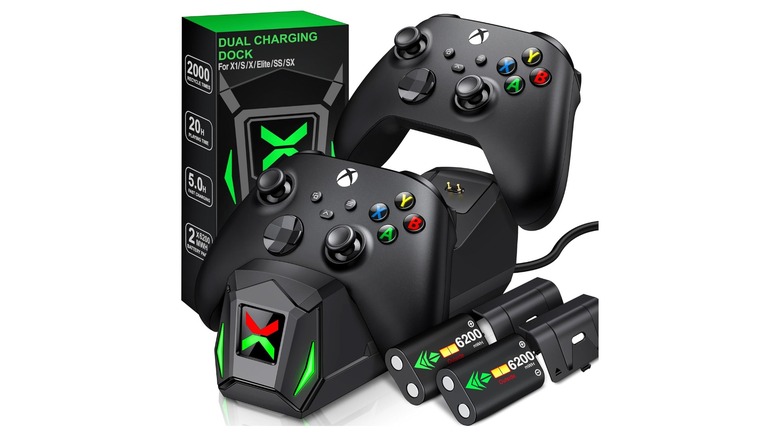
The slickest solution is to buy a kit that provides replacement rechargeable cells, and an elegant way of charging them when you’re not playing. The NinABXY controller charger station is a good example of a third-party accessory that offers both the battery packs, and charging cradle for one price. You can also charge a suitable controller from your PC itself, and some PCs now always keep their USB ports on for charging purposes even when the computer itself is in sleep mode. Those charging ports are usually red, yellow, or orange, to make them easy to spot.
A media keyboard with built-in touchpad
Even if you only play games that have full controller support, or make use of a Steam Controller, you’re still going to need a keyboard and mouse at some point.
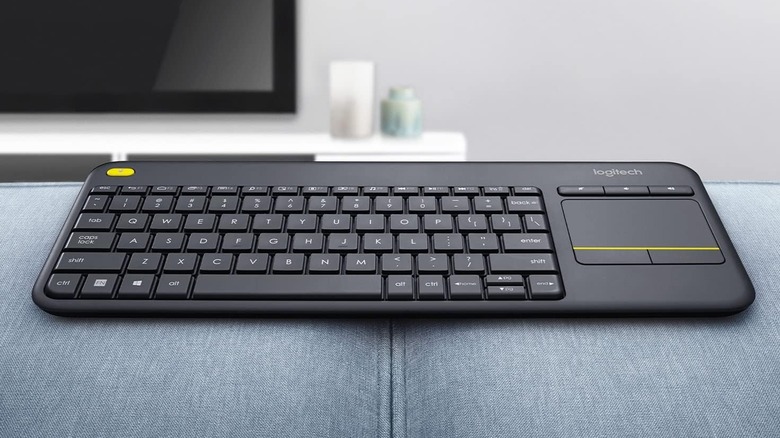
After all, your PC is so much more than a console. You can do all the PC stuff you want as well, like browsing the web, or watching your own media. But, to do that comfortably you’ll want a media keyboard. Now, this is not a gaming accessory, though you could play an RTS or point-and-click adventure with one. Instead it’s a small integrated peripheral that you can just stow to the side until you have a reason to need it.
We like the Logitech K400 Plus for this purpose. It was designed for HTPCs, and its integrated laptop-style touchpad makes it a compact unit that doesn’t get in your way. Since it uses a proprietary USB receiver, you don’t have to worry about Bluetooth settings or foibles, and assuming your PC is set up to wake from USB mouse or keyboard input, it can be a good way to wake your PC up when you’re already on the couch. It’s also much faster to grab your media keyboard and type in a character name, or multiplayer login password than painstakingly tapping it out with a controller.
A controller-mounted mini keyboard
A dedicated keyboard and mouse combo is great but for games like multiplayer titles you’ll want a quicker way to enter text. We’d like to say this is for coordinating with your team, or sending friendly messages of encouragement to your opponents, but we all know it’s mainly about trash-talk!
Jokes aside, lots of PC games require text entry from time to time, and these are often marked in Steam as only having partial controller support. Switching to a separate keyboard might only be a minor inconvenience, but there are solutions out there to avoid doing so.
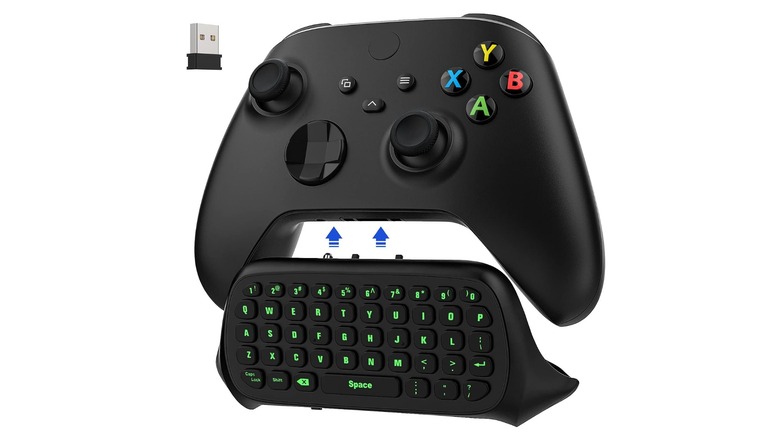
A good example of this type of device is the Moko Green Backlight Keyboard for Xbox One Controllers. The Moko gets its power from the controller, so you don’t need separate battery charging, and it doesn’t get in the way of play either. When you want to type, all the keys are in easy reach of your thumbs. If you have one of the new Xbox Series controllers, Timovo sells a similar model that fits the newer controls. For games like “Final Fantasy XIV” it’s practically a necessity.
A couch gaming lapboard
If you want to be a couch gamer using a PC, but you’d rather play a first-person shooter with an Apple Magic Mouse than use a controller, then you need a lapboard. If you’ve never heard the term before, this is simply a surface to place your full-size gaming mouse and keyboard. However, a lapboard is distinct from a lap desk, which is designed to accommodate a laptop. These are usually not wide enough to handle a keyboard and mouse.
There are a few different takes on lapboard design. Some can be laid across the armrests of a chair, but those that are designed for use on a couch go all the way down to the couch surface, using that for support. So, despite the name, these lapboards don’t usually rest on your lap. Which is good, because the instability of trying to play with a mouse would get old fast.
The premium example here would be the Couchmaster CYCON³, which has all the bells and whistles. You might balk at the $239 asking price, but it’s more than meets the eye. First, there is RGB lighting, if that’s your thing, while the lapboard also includes an integrated USB hub, so you can use any wired keyboard and mouse combo, and run a single cable to your PC. It also has side pockets where you can stow controllers, batteries, and the like.
A long HDMI cable or active optical HDMI cable
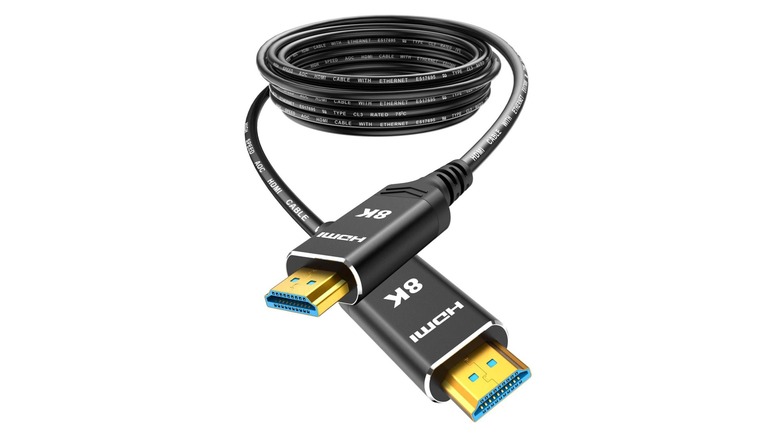
Consoles are designed to sit under your TV, and there’s little reason to keep them within arm’s length. Being able to reach over to your PC without getting up has numerous benefits though. For one thing, you wouldn’t need long USB cables trailing over the floor for wired peripherals, or the lapboards we just mentioned.
Therefore, you might like to use a long HDMI cable from your graphics card to your TV. Yes, there’s still a cable trailing to your TV, but it’s a single cable that’s easy to route and manage. If you’re wondering how long an HDMI cable can be, the answer depends on several factors. A safe maximum is around 25 feet, but if you buy a cable that’s certified for its HDMI standard, you can expect it to work without a repeater. I use a 33-foot certified HDMI 2.1 cable with no issues.
However, if you really want length and stability, an optical fiber HDMI cable is a great choice. These are thin, flexible, and use power from theuld leave your PC in another room entirely
A remote PC power button
With consoles you can easily control their power state remotely. Even when you switch your PlayStation 5 or Xbox Series console off, you can usually rouse it by just pressing a button on a previously paired controller.
While you can wake a PC from sleep using a keyboard or mouse, this isn’t always reliable, and not every PC will support it to the same degree. That’s why you might consider the long HDMI cable while keeping your PC by your side. However, an interesting alternative comes in the form of a remote PC power button. This device sits in a PCIe x1 slot on your motherboard, and connects to the power switch header that your PC’s case would normally be connected to.
When you press the button, from your motherboard’s perspective, it’s no different from operating the local power switch. Best of all, this does not disable the power switch on your PC case. The remote board has a passthrough for the original power switch. So, if you want to operate your PC directly, or if the battery in the remote is dead, you can still just press the power button on the case.
USB HDMI-CEC adapter
In case you don’t know what HDMI-CEC means, it’s short for HDMI Consumer Electronics Control. Essentially, this is an HDMI feature that allows a device like a gaming console to send commands to another device and TV match each other’s power state — when the console is powered on, so is the TV and vice versa
The Steam Machine is notable for being a rare gaming PC that has HDMI-CEC. Almost everyone else will need to add an adapter that injects HDMI-CEC into the chain. The Pulse-Eight USB HDMI-CEC adapter is a good example. This box sits between your GPU and TV, while drawing power from a USB port to operate. It was designed for HTPCs and allows for much more than power-state matching. HDMI-CEC can be used to control the volume of the TV, or pass on remote control commands.
PC-compatible media remote or air mouse
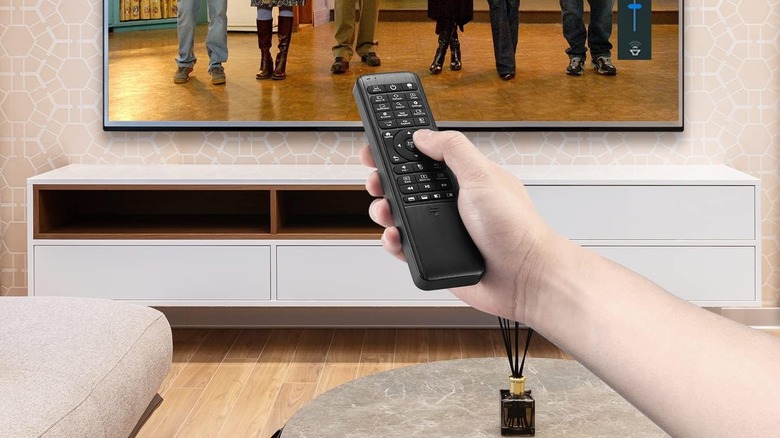
The humble air mouse is a device that looks like a remote control but, using USB or Bluetooth, will connect as a pointing device. You can move your pointer around using its motion sensors, and buttons to click. The classic air mouse was designed for use with HTPCs and presentations, but here we’re concerned with the ones designed for media center PCs. They typically look like a remote control, with all the usual media buttons on the front, but in addition to the mouse-pointer control, also have a full keyboard on the reverse side of the device. So, if you flip it over, you can enter text with your thumbs.
This is a good option for a TV PC gamer who only wants to play controller games, and doesn’t want a full-size media keyboard laying around their living room. Unless you look very closely, these media remotes look just like any other TV remote, making it an excellent stealth option. The Pepper Jobs Fly Mouse is a neat example.
A powered USB hub with extension cable
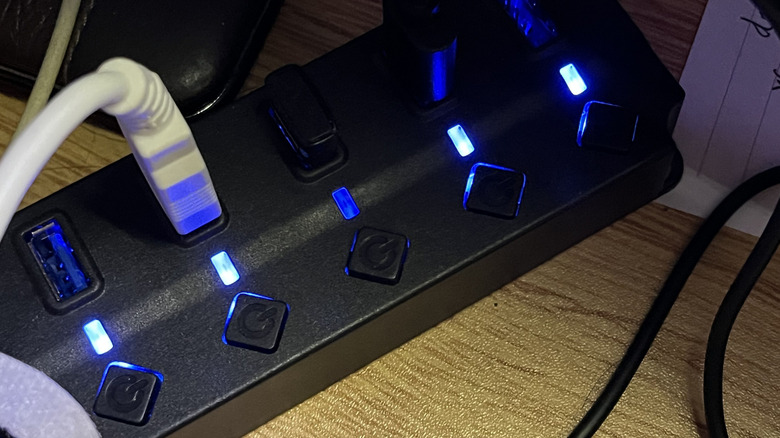
So, you’ve gone for the option where the PC is installed on the TV side of your setup, but you also want to forego wireless peripherals. You have a USB data cable coming to your couch, but if you use a passive hub to split it into more ports, you can quickly run into power issues, especially if you’re using gaming peripherals or storage devices.
The simple answer is to use a powered USB hub, preferably from a well-known brand like TP-Link, Baseus, or Anker. These hubs use a power supply to supplement the standard USB power coming from your PC’s motherboard and prevent devices from disconnecting or otherwise behaving oddly due to insufficient power.
If you aren’t going to use peripherals that require USB 3.0 speeds, there’s no need to use a USB 3.0 extension cable. USB 2.0 can maintain its 480Mbps speed over a longer distance than USB 3.0 can, and keyboards, mice, and controllers simply don’t need the extra bandwidth. A powered USB hub can also charge USB devices even when your computer is off, so it can double as an impromptu charging dock too.
A TV docking station for a gaming handheld or laptop
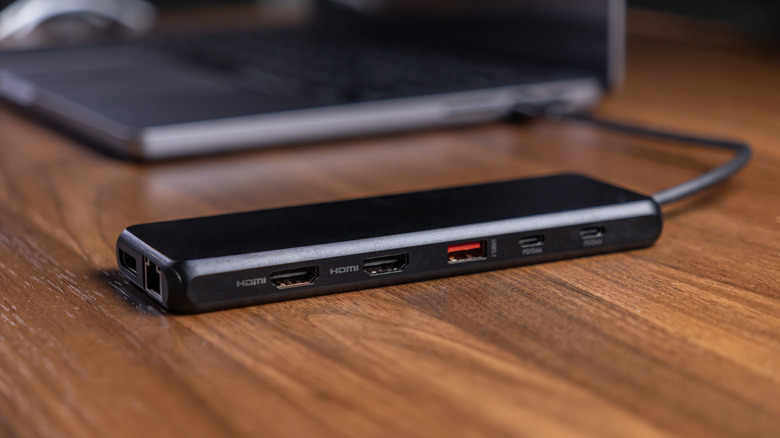
Nintendo’s Switch and Switch 2 consoles have made people used to the idea of gaming on the go, and then docking to a TV to keep playing on a bigger screen. If the idea of hooking up a desktop PC to your TV doesn’t appeal to you, you can create a similar docking setup for yourself. As long as the laptop or gaming handheld supports DisplayPort over USB-C, you can use a dock with a single cable to connect all the peripherals you need. However, if your laptop doesn’t support this feature, you’ll need to use its built-in HDMI port instead, which makes a dock much less useful.
A basic Anker docking station would be a good example of something to use with a handheld PC like the Steam Deck, but large and power-hungry gaming laptops would be better served by a model-specific docking station.
How we chose these products
This isn’t a list of specific accessories, but rather types of accessories that can give you a more console-like experience when gaming with your PC connected to your TV. However, where we have mentioned specific products as examples in each category, we’ve only included well-reviewed products with high average ratings from at least hundreds, if not thousands of users.

2 Comments
Pingback: Samsung 55 - Comic Vibe
Pingback: Intel Nova Lake Leak Reveals 20% Gaming Boost and 17% bLLC Performance Gains - Comic Vibe