
Close Menu

    Subscribe to Updates

    Get the latest creative news from FooBar about art, design and business.

    What's Hot

    Sandisk is now exclusive storage partner for Meta VR Glasses; microSD Express cards, USB-C drives coming in 2027

    October 15, 2026

    Jackson Olson Reacts to Being “Canceled” Over Guillermo Rodriguez Diss

    October 15, 2026

    How Adéla, a grungy pink-haired ballerina who got rejected from Katseye, ended up on top

    October 15, 2026
    Facebook X (Twitter) Instagram
    Facebook X (Twitter) Instagram YouTube TikTok
    Comic Vibe
    Thursday, October 15
    • Home
    • Comics
      • Comic Vibe News
    • Gaming
    • Movies
    • TV
    • Anime
    • Toys & Collectibles
    • Cosplay
    • Tech
    • Digital Culture
      • Creators & Fan Culture
      • Creator Economy & Fan-Driven Platforms
      • Digital Fandom & Online Communities
      • Metaverse & Virtual Worlds
      • NFTs & Digital Collectibles
      • Virtual Events & Online Conventions
      • Virtual Identity & Avatars
    • Shop
    Comic Vibe
    • Home
    • Contact Us
    • Terms & Conditions
    • Advertise With Us
    • DMCA Policy
    • Privacy Policy
    • About Us
    Home»Gaming»How To Optimize Your Monitor Settings For Gaming
    Gaming

    How To Optimize Your Monitor Settings For Gaming

    JamesBy JamesOctober 15, 20262 Comments4 Mins Read
    Facebook Twitter
    Share
    Facebook Twitter

    If you own a gaming PC, odds are you’ve spent hours researching every component, from the graphics cards (and whether it’s smarter to buy a flagship model or a less expensive alternative) to the monitors you will use. But even if you purchase the best gaming monitor money can buy, you might need to tweak a few settings before it’s ready. Out of the box, most monitors provide an experience best suited to the average user. However, that usually means settings such as SDR, default RGB levels, and sub-optimal refresh rates.

    That’s okay for a person who just uses a computer for word processing, but not ideal for someone who needs their monitor to refresh images quickly for multiplayer matches and provide enough contrast to find enemies lurking in shadows (or keep them hidden). Before you begin to alter any monitor settings, you should check to see if it includes a preset “Game Mode.” These options can take out some of the guesswork and automatically provide excellent color and brightness balance while minimizing latency. If so, always switch to a Game Mode before you start playing. However, there is always room for improvement.

    Refresh rate and resolution
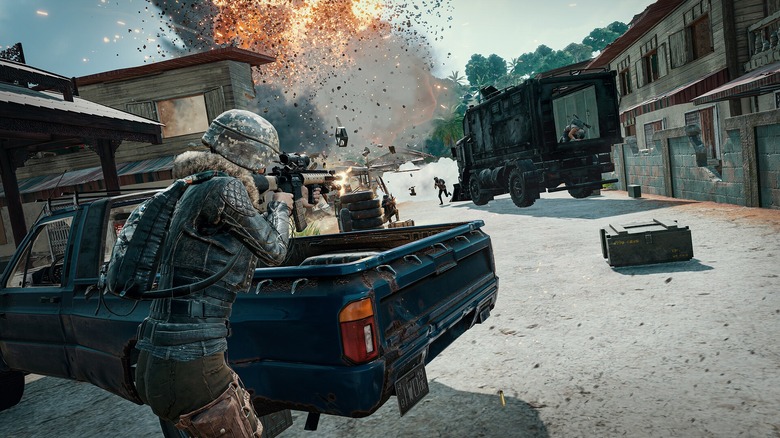
    Shootout in PUBG

    Let’s face facts: You probably want refresh rates and resolutions as high as your graphics card will allow. Modern monitors are smart enough to know these upper limits, but the best settings are optional and need a nudge to activate. Depending on the game and your GPU, you probably won’t achieve frame rates that exceed your maximum refresh rate.

    However, sometimes these settings don’t get along, which causes screen tearing. You can avoid this annoying visual hiccup with a refresh rate sync function. You can often find these in your GPU’s control panel (e.g., activate G-Sync in the Nvidia Control Panel), but it has one caveat: Sync settings only work with compatible monitors. If your new screen doesn’t say it supports G-Sync or AMD FreeSync, then you will need to hope your game has a built-in V-Sync function. Otherwise, just set your refresh rate to whatever you like and hope for the best.

    While contemporary monitors support a wide variety of resolutions and aspect ratios, you are best off leaving those settings alone and keeping your monitor in its native resolution/aspect ratio. These settings guarantee the crispest visuals and generally prevent scaling issues (i.e., a game’s HUD taking up too much space or appearing so small you can’t read it). For best results, buy a cheaper alternative to a 4K monitor. You might sacrifice some resolution, but you will receive higher and smoother frame rates as a trade-off.

    Brightness and color
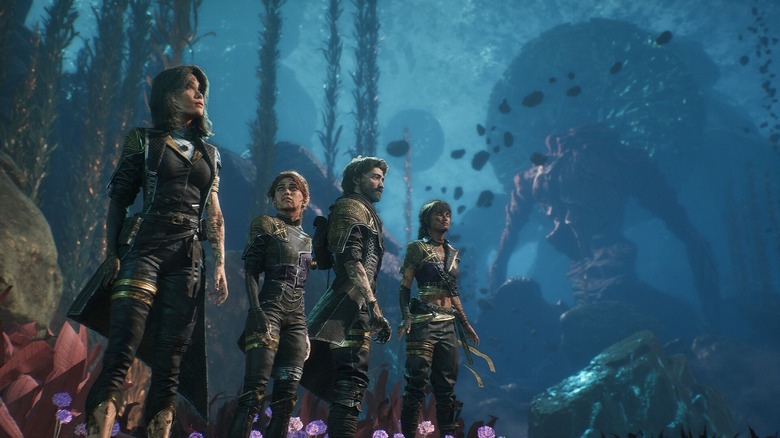
    The party underwater in Clair Obscur: Expedition 33

    Video games are a visual medium, and many horror games utilize ambient lighting and shadows to set an uncomfortable mood. If you’re a horror streamer, dimming your monitor’s brightness will suit most of your needs, but if you play a wide variety of titles, you might have to play musical chairs with some settings. Whenever possible, you should enable HDR on your monitor.

    This veritable all-in-one setting balances colors, shadows, and brightness to create the best visual experience. Like with G-sync, you need a monitor that can actually support the feature, but if you buy one (and use an HDR setup app to tweak the settings), HDR will improve the look of just about any game. Just keep in mind that HDR can only improve the appearance of modern titles; turn off HDR for older titles to preserve their visuals.

    Much like how smart TVs include settings that you should change because they aren’t suited for every show or movie, not every computer monitor option benefits every genre. If you are playing a highly competitive title and your GPU forces you to choose between color accuracy and high frame rates, prioritize frame rates, even if it means turning off V-Sync. Conversely, single-player titles provide a little more response time leeway (yes, even “Elden Ring”), so you can tweak monitor settings to optimize visuals over latency. More often than not, you will just have to experiment and see what works for you.

    Gaming Monitor Optimize settings your
    Share. Facebook Twitter
    Previous ArticleStreet Fighter is in Roblox’s Untitled Boxing Game
    Next Article South actress Krithi Shetty to make her Bollywood debut with Hum Tere Pyaar Mein, presented by Rohit Shetty
    James

    Related Posts

    Meet the XBOX Nano Controller

    October 15, 2026

    Warhammer 40,000: Boltgun just got a Nintendo Switch 2 version

    October 15, 2026

    Sony confirms one of PlayStation Plus Game Catalog’s biggest games is leaving in November

    October 15, 2026

    A Blockbuster Video Game Release Could Reginite This Stock

    October 15, 2026

    2 Comments

    1. Pingback: Marvel Exec Clears Up Born Again Cancellation Confusion & Teases They're Not Done With Daredevil - Comic Vibe

    2. Pingback: You’ll Never Leave This Place Alive #1 Is an Immaculately Told Horror Story (Review) - Comic Vibe

    Leave A Reply Cancel Reply

    Our Picks

    Sandisk is now exclusive storage partner for Meta VR Glasses; microSD Express cards, USB-C drives coming in 2027

    October 15, 2026

    Jackson Olson Reacts to Being “Canceled” Over Guillermo Rodriguez Diss

    October 15, 2026

    How Adéla, a grungy pink-haired ballerina who got rejected from Katseye, ended up on top

    October 15, 2026

    You’ll Never Leave This Place Alive #1 Is an Immaculately Told Horror Story (Review)

    October 15, 2026
    • Facebook
    • Twitter
    • Instagram
    • YouTube
    • TikTok
    • Telegram
    Don't Miss
    Comics

    Tom Holland Reveals Reason for Spider-Man: Brand New Day Time Jump, But It Might Break the MCU Timeline

    By JamesJuly 16, 20260

    Spider-Man: Brand New Day is just around the corner, but even as its July 31 release date draws ever closer, so many questions remain on the table. Among the mysteries still to be revealed once the web-slinger returns to the big screen is, of course, who Sadie Sink is playing in the movie, as well…

    54 Action Figures Turned Into Cinematic Scenes And Wild Pop Culture Mashups By This Photographer

    July 16, 2026

    Be a Fish Bait codes (July 2026)

    July 16, 2026

    EXCLUSIVE INTERVIEW: Former Sony Veteran On Digital vs. Disc Gaming and PlayStation Stars Failure

    July 16, 2026

    Subscribe to Updates

    Get the latest creative news from SmartMag about art & design.

    About Us
    About Us

    Comic Vibe is a pop-culture destination created for fans who live and breathe comics, movies, anime, TV shows, gaming, tech, cosplay, and collectibles.

    Our mission is to deliver engaging news, reviews, features, guides, and opinions that celebrate geek culture in all its forms. From the latest comic releases and blockbuster films to anime trends, gaming updates, cutting-edge tech, and collector culture, Comic Vibe brings everything together in one vibrant hub.

    Our Picks

    Sandisk is now exclusive storage partner for Meta VR Glasses; microSD Express cards, USB-C drives coming in 2027

    October 15, 2026

    Jackson Olson Reacts to Being “Canceled” Over Guillermo Rodriguez Diss

    October 15, 2026

    How Adéla, a grungy pink-haired ballerina who got rejected from Katseye, ended up on top

    October 15, 2026

    Subscribe to Updates

    Get the latest comics, anime, movies, TV, gaming, cosplay, and pop culture news delivered directly to your inbox. No spam—just the stories every fan should know.

    Facebook X (Twitter) Instagram YouTube TikTok
    • Home
    • Contact Us
    • Terms & Conditions
    • Advertise With Us
    • DMCA Policy
    • Privacy Policy
    • About Us
    © 2026 Comic Vibe. Designed by Comic Vibe.

    Type above and press Enter to search. Press Esc to cancel.