
Close Menu

    Subscribe to Updates

    Get the latest creative news from FooBar about art, design and business.

    What's Hot

    Lanterns update: James Gunn on Hal’s true fate; and my obsession with Guy Gardner

    September 22, 2026

    Melissa McCarthy Shares Her Theory on JonBenét Ramsey Case Ahead of Netflix Drama

    September 22, 2026

    Cape Breton University – Bringing Analytical Rigour to “Girly Culture”: CBU Professors Launch New Pop-Culture Podcast “GirlTalk”

    September 22, 2026
    Facebook X (Twitter) Instagram
    Facebook X (Twitter) Instagram YouTube TikTok
    Comic Vibe
    Tuesday, September 22
    • Home
    • Comics
      • Comic Vibe News
    • Gaming
    • Movies
    • TV
    • Anime
    • Toys & Collectibles
    • Cosplay
    • Tech
    • Digital Culture
      • Creators & Fan Culture
      • Creator Economy & Fan-Driven Platforms
      • Digital Fandom & Online Communities
      • Metaverse & Virtual Worlds
      • NFTs & Digital Collectibles
      • Virtual Events & Online Conventions
      • Virtual Identity & Avatars
    • Shop
    Comic Vibe
    • Home
    • Contact Us
    • Terms & Conditions
    • Advertise With Us
    • DMCA Policy
    • Privacy Policy
    • About Us
    Home»Digital Culture»Metaverse & Virtual Worlds»How to enter VR mode on Steam
    Metaverse & Virtual Worlds

    How to enter VR mode on Steam

    JamesBy JamesSeptember 22, 2026No Comments3 Mins Read
    Facebook Twitter
    How to enter VR mode on Steam
    Share
    Facebook Twitter

    It only takes a few minutes to get things ready.

    Valve’s Steam Frame VR headset is finally making its way to fans, albeit very slowly. Similar to its pre-order rollout for the Steam Machine, the company is once again opening pre-orders don’t want to wait for the $1000 Steam Frame can access VR on Steam right now — with the right hardware, of course

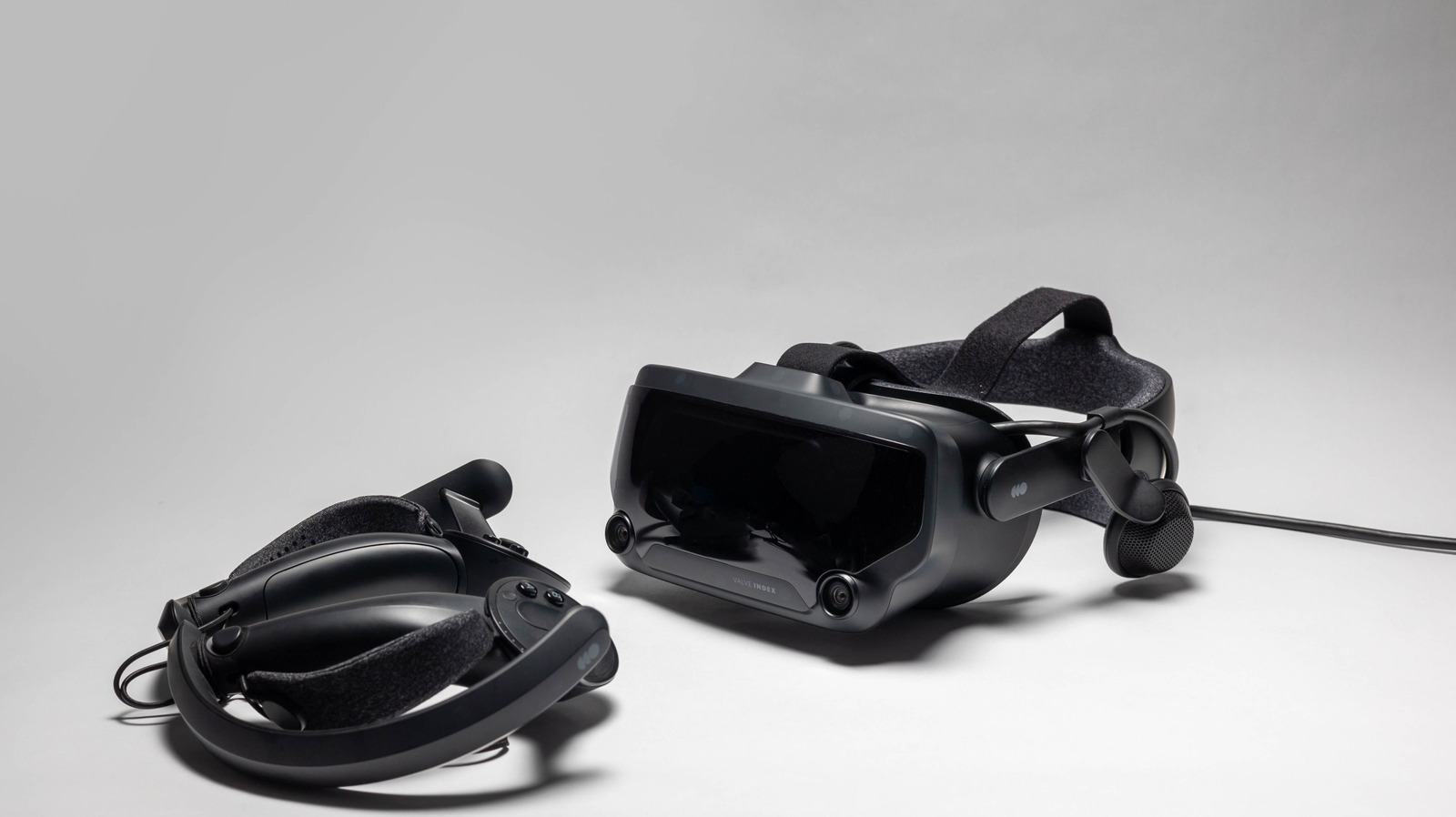
    Steam allows you to play VR games through its launchers platform supports most headsets — including offerings from Valve, HTC, Meta/Oculus and many more

    It allows you to interface with VR games through the Steam launcher, as well as grant you access to both SteamVR Home and all the nifty settings inside the app’s dashboard. Getting all of this started up only requires a few simple steps, and you can follow a few more to take your VR experience to the next level.

    Booting up SteamVR

    If you have a Steam account, you’ll be able to simply search for SteamVR within Steam and install it for free. Once the application is installed, you can boot it right up and log into your Steam account if you’re not logged in already (unless you’re using the application offline). 

    To get the ball rolling from here, you’ll need to make sure your headset, controllers, and any other required sensors are all plugged into your PC. If you want to use a wireless connection, you’ll need to outfit your device with the Steam Link app — which is compatible with Meta Quest 2, Quest 3, and Quest Pro, as well as the HTC Vive Focus and PICO headsets.

    If you’re starting fresh, there’ll be a little diagnostic work to complete before SteamVR can render your games and desktop in virtual reality. SteamVR will have you choose between Room-Scale or Standing Only space settings. It’ll have you prepare the space (about 6.5 by 5 feet), if you choose the former,before running you through headset and controller tracking to make sure everything is connected and ready to go. To keep an eye on the space available to you, you may also want to turn on the Chaperone system from within the Play Area tab in Settings.

    SteamVR’s Home hub and VR settings

    Group of children using VR headsets.

    Before you boot anything up, you’ll notice that you’re within SteamVR Home, a digital hub where you can invite friends to chat and interact through avatars. You can also decorate the space with items purchased on Steam or unlocked through certain Steam achievements. 

    With a quick tap of the menu or system button on your controller, you’ll be able to pull up the dashboard. Here, you can browse Steam and choose VR-compatible titles to play from your library or new titles in the store, as well as fiddle with your VR settings. You can also pull up your computer desktop within virtual reality from this area.

    Whether or not you’re rocking one of the best VR headsets available in 2026, SteamVR will allow you to keep tabs on all of your tech through its settings, some of which can get pretty advanced. By pushing the cog icon in the right corner of the dashboard (or by accessing settings, you can tweak things to your liking and open up not only the aforementioned Chaperone system, but all manner of brightness, resolution, and graphics toggles

    Here, you can also play around with more advanced settings, which include Motion Smoothing (moderating a game’s frame rate to reduce motion sickness), Controller Bindings, and Advanced Frame Timings (which shows you how individual VR apps perform).

    Enter Mode Steam
    Share. Facebook Twitter
    Previous ArticleAmherstburg gets wonderfully weird at annual Uncommon Festival
    Next Article Sony appears to be testing PlayStation Store credit offers when you buy certain games, such as The Blood of Dawnwalker and Resonance: A Plague Tale Legacy
    James

    Related Posts

    Meet the Boss of Roblox, Minister of Communication and Information Meutya Encourage Strengthening Children’s Security on the Platform

    September 22, 2026

    Fortnitemares 2026 Release Date: Start Time and All Leaked Fortnite Collabs

    September 22, 2026

    All Fortnitemares 2026 Collabs: All Known & Leaked Fortnite Halloween Content

    September 22, 2026

    Here’s some of the best VR games released on Steam in 2026 so far

    September 22, 2026
    Leave A Reply Cancel Reply

    Our Picks

    Lanterns update: James Gunn on Hal’s true fate; and my obsession with Guy Gardner

    September 22, 2026

    Melissa McCarthy Shares Her Theory on JonBenét Ramsey Case Ahead of Netflix Drama

    September 22, 2026

    Cape Breton University – Bringing Analytical Rigour to “Girly Culture”: CBU Professors Launch New Pop-Culture Podcast “GirlTalk”

    September 22, 2026

    Exclusive Gold Label Batman: Arkham City DC Multiverse Figure Revealed

    September 22, 2026
    • Facebook
    • Twitter
    • Instagram
    • YouTube
    • TikTok
    • Telegram
    Don't Miss
    Movies

    Prince William, Kate Middleton Step Out at Wimbledon 2026 With Kids Prince George, Princess Charlotte

    By JamesJuly 12, 20260

    Prince William and Kate Middleton stepped out at the Wimbledon Tennis Championships in London for the men’s singles final July 12 with their kids Prince George, 12, and Princess Charlotte, 11, in tow. 

    Netflix Cancels 11 TV Shows, Renews Numerous Hits for 2026 & Announces 4 Series Are Ending

    July 12, 2026

    Japanese Teen Arrested after Using ChatGPT to Delete 46,812 Anime Streaming Accounts

    July 12, 2026

    SHINee’s Minho Pens Cristiano Ronaldo Tribute After Portugal’s World Cup Exit: ‘Goodbye, My Hyung’

    July 12, 2026

    Subscribe to Updates

    Get the latest creative news from SmartMag about art & design.

    About Us
    About Us

    Comic Vibe is a pop-culture destination created for fans who live and breathe comics, movies, anime, TV shows, gaming, tech, cosplay, and collectibles.

    Our mission is to deliver engaging news, reviews, features, guides, and opinions that celebrate geek culture in all its forms. From the latest comic releases and blockbuster films to anime trends, gaming updates, cutting-edge tech, and collector culture, Comic Vibe brings everything together in one vibrant hub.

    Our Picks

    Lanterns update: James Gunn on Hal’s true fate; and my obsession with Guy Gardner

    September 22, 2026

    Melissa McCarthy Shares Her Theory on JonBenét Ramsey Case Ahead of Netflix Drama

    September 22, 2026

    Cape Breton University – Bringing Analytical Rigour to “Girly Culture”: CBU Professors Launch New Pop-Culture Podcast “GirlTalk”

    September 22, 2026

    Subscribe to Updates

    Get the latest comics, anime, movies, TV, gaming, cosplay, and pop culture news delivered directly to your inbox. No spam—just the stories every fan should know.

    Facebook X (Twitter) Instagram YouTube TikTok
    • Home
    • Contact Us
    • Terms & Conditions
    • Advertise With Us
    • DMCA Policy
    • Privacy Policy
    • About Us
    © 2026 Comic Vibe. Designed by Comic Vibe.

    Type above and press Enter to search. Press Esc to cancel.