

Key Takeaways
- Komiko AI is an AI anime and manga generation toolkit.
- Users can create their own characters, colorize sketches, or create custom animations.
- You can share your content with the community and engage with other users’ creations, too.
Countless anime and manga enthusiasts dream of creating their own content, but have, in the past, struggled to fulfill those dreams due to the challenges associated with drawing and animation. Komiko AI aims to solve those challenges. This AI-powered anime generation platform gives you the tools you need to make professional-grade anime or manga scenes with ease
Read on through the Komiko AI review to see how it all works
Introducing Komiko AI
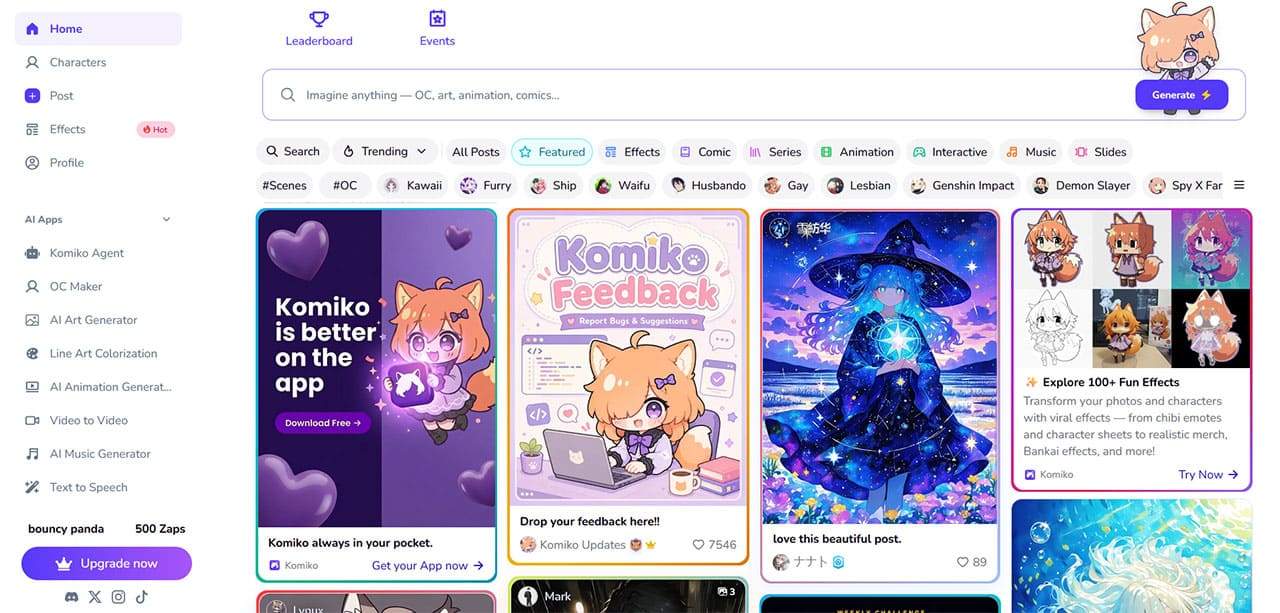
For those who aren’t yet familiar with this platform, Komiko AI is an AI toolkit oriented around anime and manga generation. It offers a wide array of features that allow you to create your own original manga characters, add color and life to your original sketches, or even make custom animated scenes in a matter of minutes
This platform has attracted a huge number of users from around the world who create and share their content. Whether you’re interested in creating new characters completely from scratch, perfecting your line art, or making an entire anime series in a fraction of the usual time, this is the place to make it all happen
How to Create Manga and Anime With Komiko AI
Here’s a step-by-step look at how some of Komiko AI’s core features work, and how you can use them to make your own manga characters and animated scenes
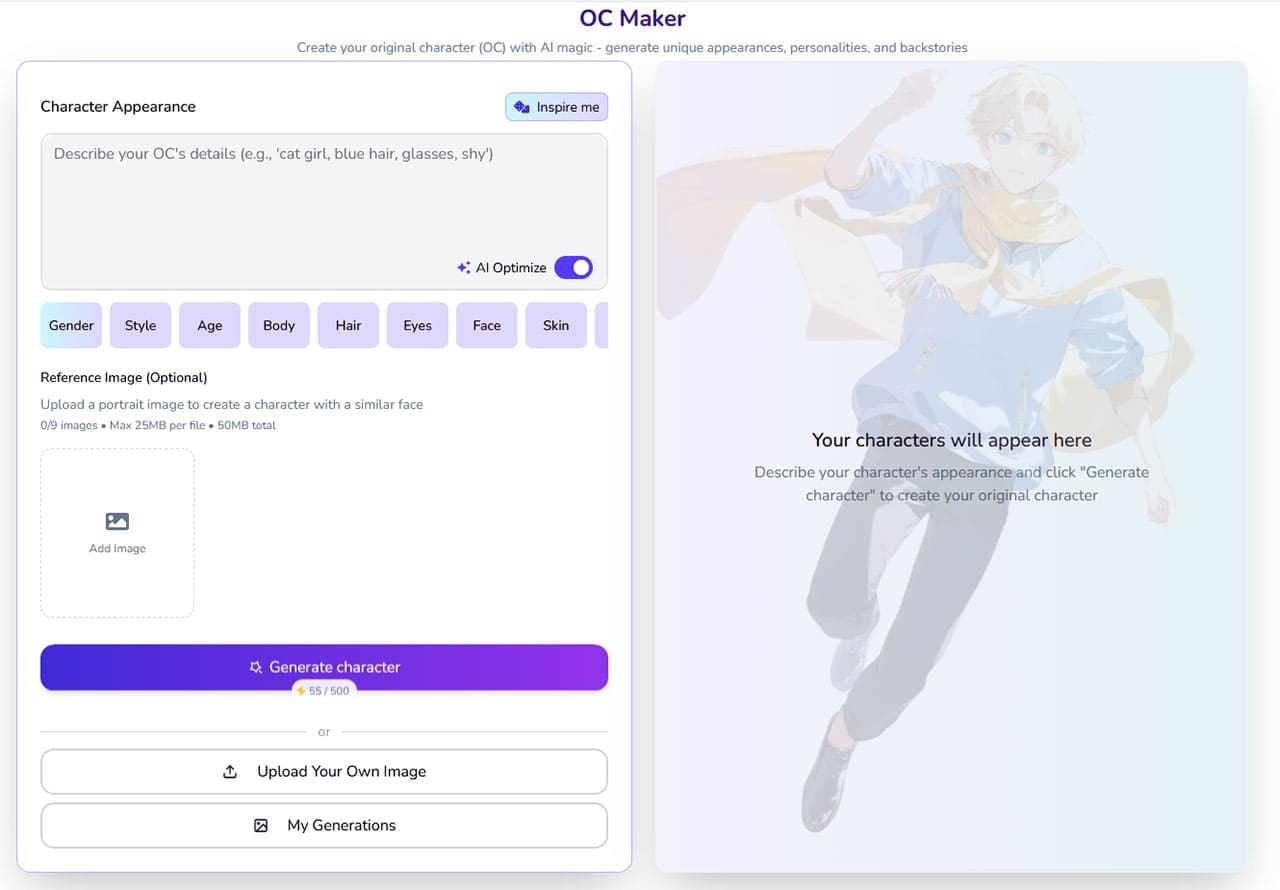
Step 1.Open the “OC Maker” tool to create your first character. If you already have sketches or images of the character you want to use, you can upload them using the “Upload Your Own Image” button. Otherwise, you can create new characters with AI by describing them with a simple text prompt, or using the “Gender,” “Style,” etc. buttons to define their characteristics
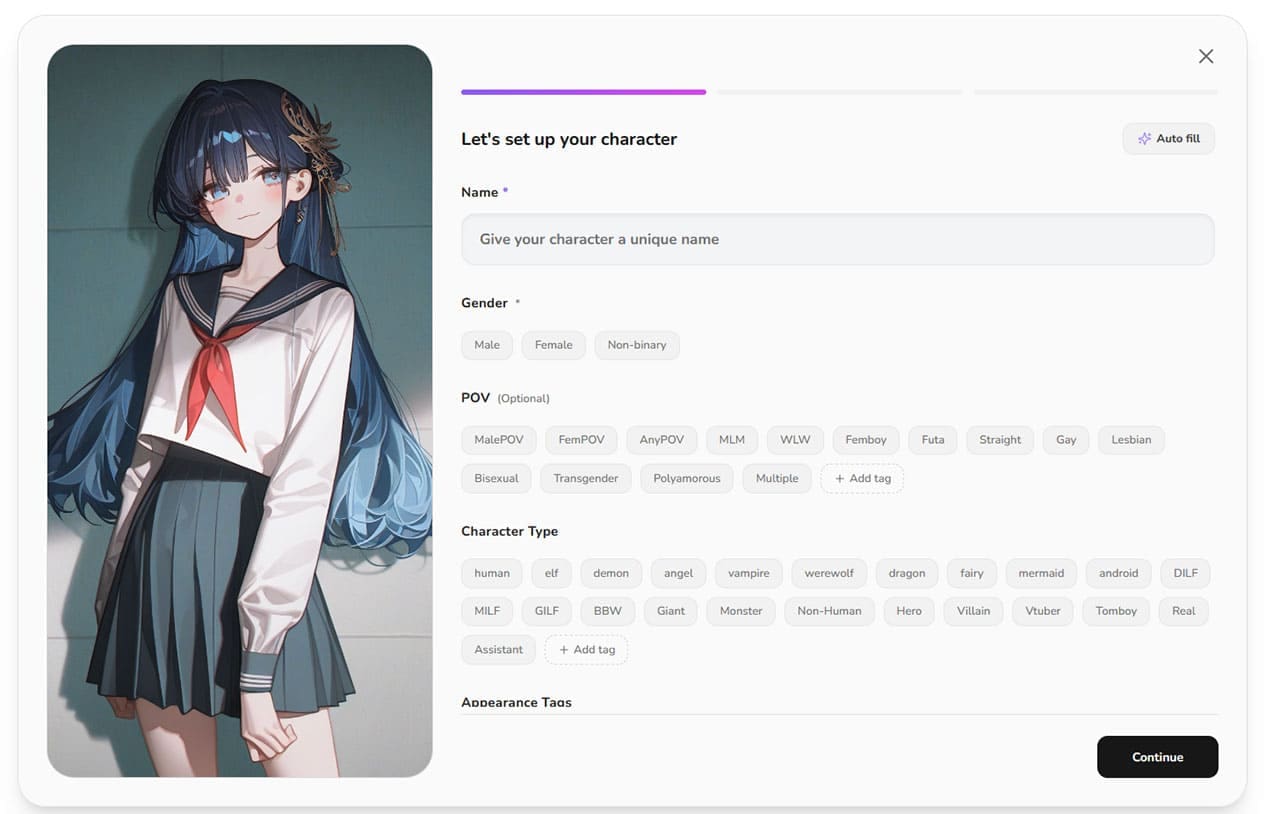
Step 2.After you’ve created a character you’re happy to proceed with, you’ll need to enter some additional information about them. This includes their name, gender, character type, age, interests, and so on. You can enter all this manually, or ask the AI to help you. Once you’ve completed this, click the “Bring Character to Life” button to proceed
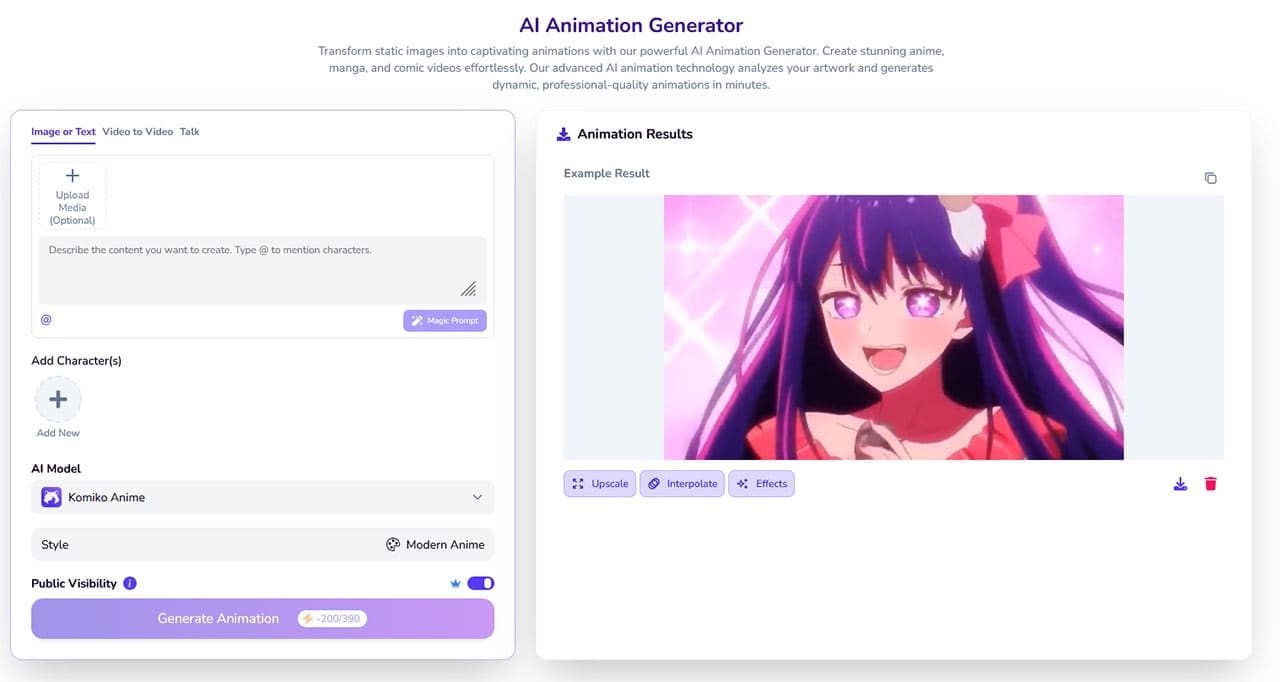
Step 3.Once you’ve finalized your character, you can repeat the process to create additional characters, or head straight to the “AI Animation Generator” tool. There, you can describe animated scenes you wish to create, add the characters you created earlier, and generate entire animations using various models, including Komiko Anime, Seedance 2.0, and Wan 2.6
Komiko AI Pricing
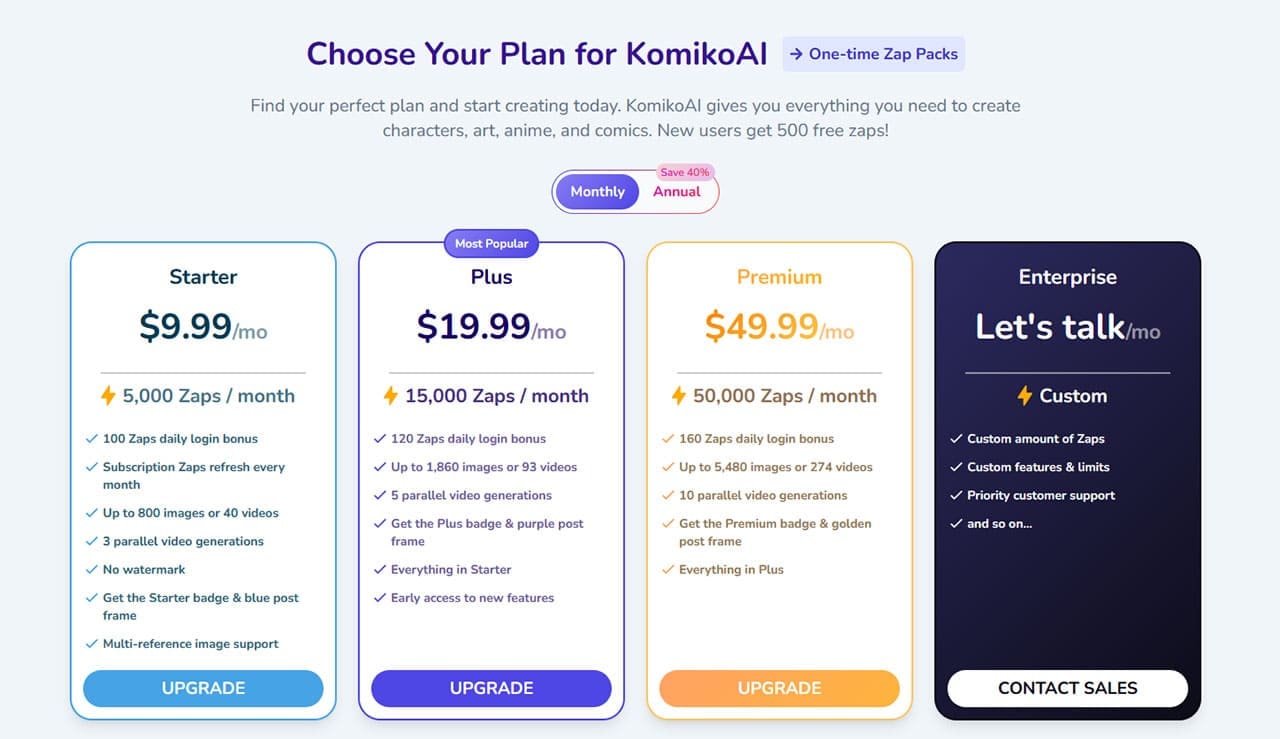
Like other generative AI tools, Komiko AI operates on a credit system, using the term “Zap” instead of credit. You spend Zaps to perform AI-powered actions and generate characters and content, and you can get 500 free Zaps just by signing up. However, if you want to continue using the platform past that point, you’ll need to sign up for a premium plan
There are three options available. The Starter plan costs $9.99 per month or $71.93 per year and provides 5,000 Zaps per month. Plus users get 15,000 monthly Zaps for either $19.99 a month or $143.93 a year. Finally, Premium subscribers pay $49.99 monthly or $359.93 annually for 50,000 Zaps each month. You can also purchase one-time Zap packs and get bonus Zaps for logging in each day
Komiko AI Review – The Final Word
Overall, if you’re interested or passionate about anime and manga, and you want an easier, faster way to make and engage with this kind of content, Komiko AI is for you. It takes much of the hard work out of making manga, letting anyone, regardless of their drawing or animation skills, create amazing content in no time to enjoy on their own or share with the world
